Crews report once.
The office never has
to chase.
What your foremen enter on their phones lands straight in the office. Who has reported, what has stopped, and who needs to act today — it's all there when you open it, without the phone calls and spreadsheet patching.
Sign in with Google or Apple · English & Korean · Works where the signal is weak
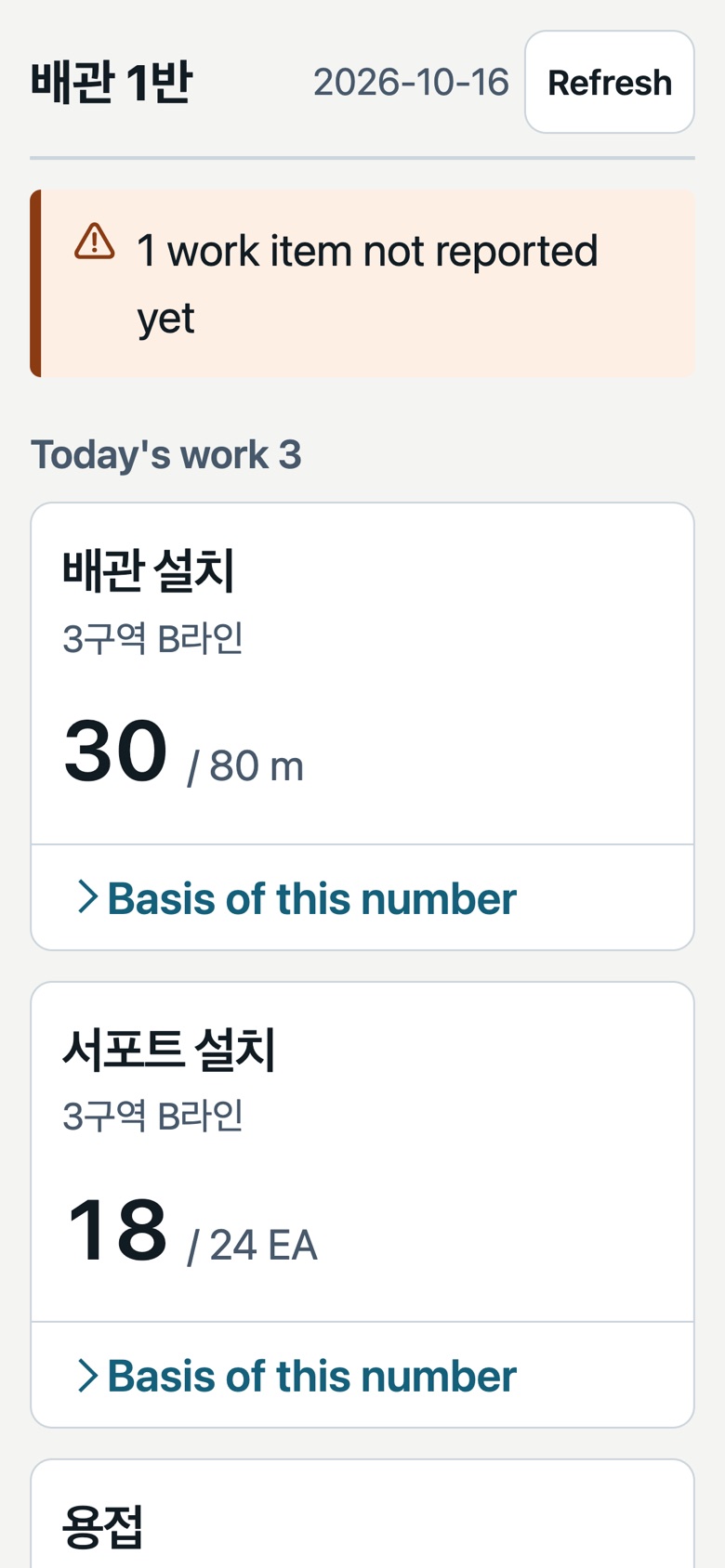
The real product, filled with synthetic data
Same site. A different office.
The work on site stays the same. What changes is how the report reaches the office.
TodaySomeone calls every foreman for quantities and retypes them into a spreadsheet.
With SitriloEach foreman enters it once on site, and it rolls up by crew and work type automatically.
TodayThe meeting runs long just working out who reported and what got stuck.
With SitriloMissing reports, stoppages and unowned issues are on one screen before anyone sits down. The meeting is for decisions, not catching up.
TodayPhotos and messages scattered across group chats never hold up as evidence later.
With SitriloThe cause — material, equipment, drawings — and the people affected are logged in a few taps, and the office assigns an owner and a due date right away.
TodayNumbers get typed in again, and the reason anything changed is never written down.
With SitriloApproved records produce the PDF and Excel. Corrections stack up as new revisions, each with its reason.
Collect it. Show it. Act on it. Keep it.
Quantities a foreman enters are combined by crew and work type immediately. Nobody in the office asks again or retypes. If the signal drops, entries wait on the phone and go up once it's back.
Plan vs. actual, report status and missing reports, on the same screen for everyone with access. With several sites, the Company Today view covers them all at once. Site managers and office staff see the same overview, read-only, in the field app.
Issues raised on site go straight into the office queue. Owners, due dates and acknowledgement get set there, and missing-report summaries and stoppages go out as notifications.
Issue causes (material, equipment, labor, drawings, inspection…), people affected, and man-hours lost to stoppages build up as records — the basis for the next meeting and for conversations with the GC.
Before the morning meeting, it's already sorted
Meetings start from “what do we do?” instead of “what happened?”
- 1Crews that haven't reported
- 2Stopped work and why
- 3Issues with no owner or past due
- 4Work items behind plan
See it, don't just read about it
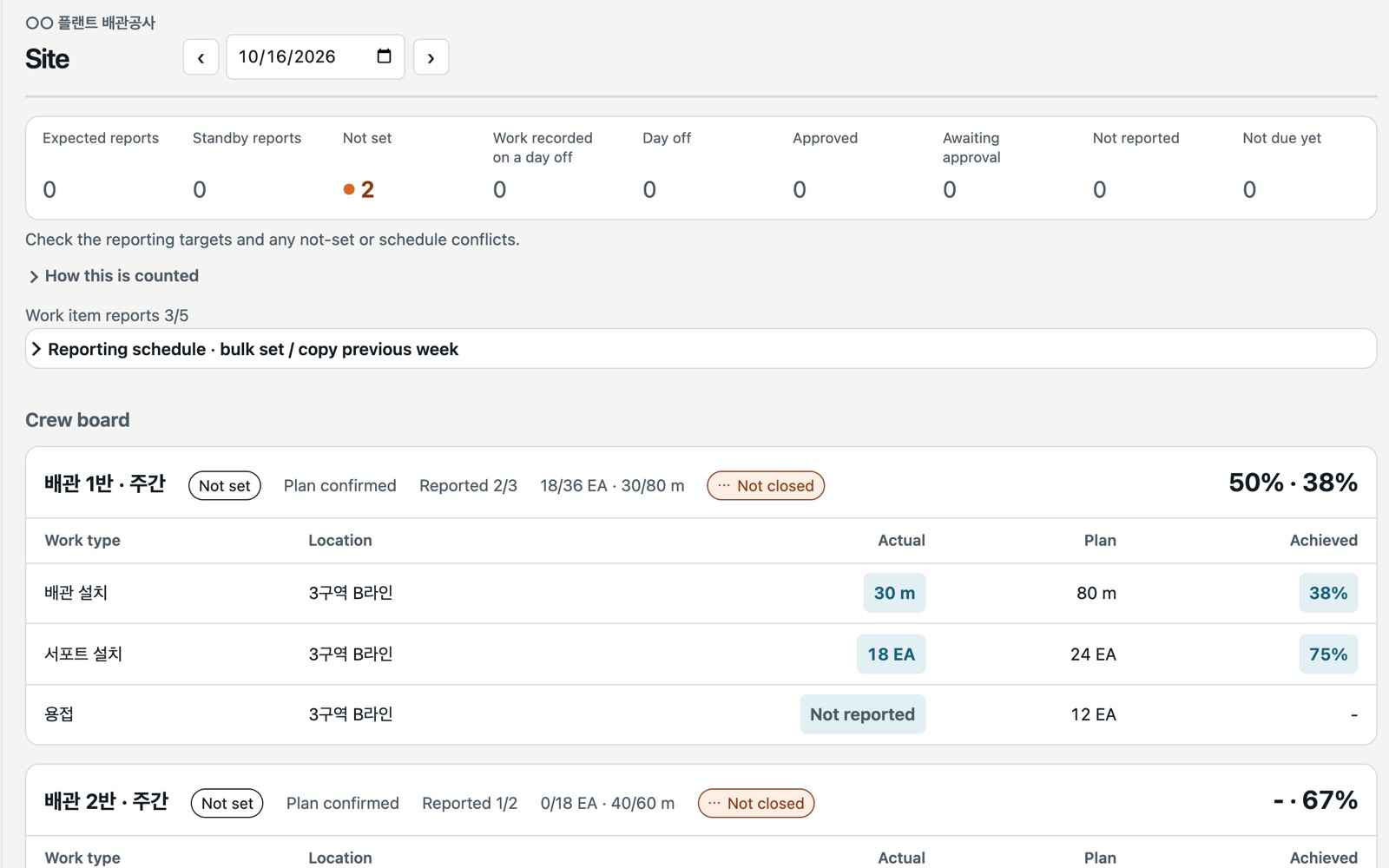
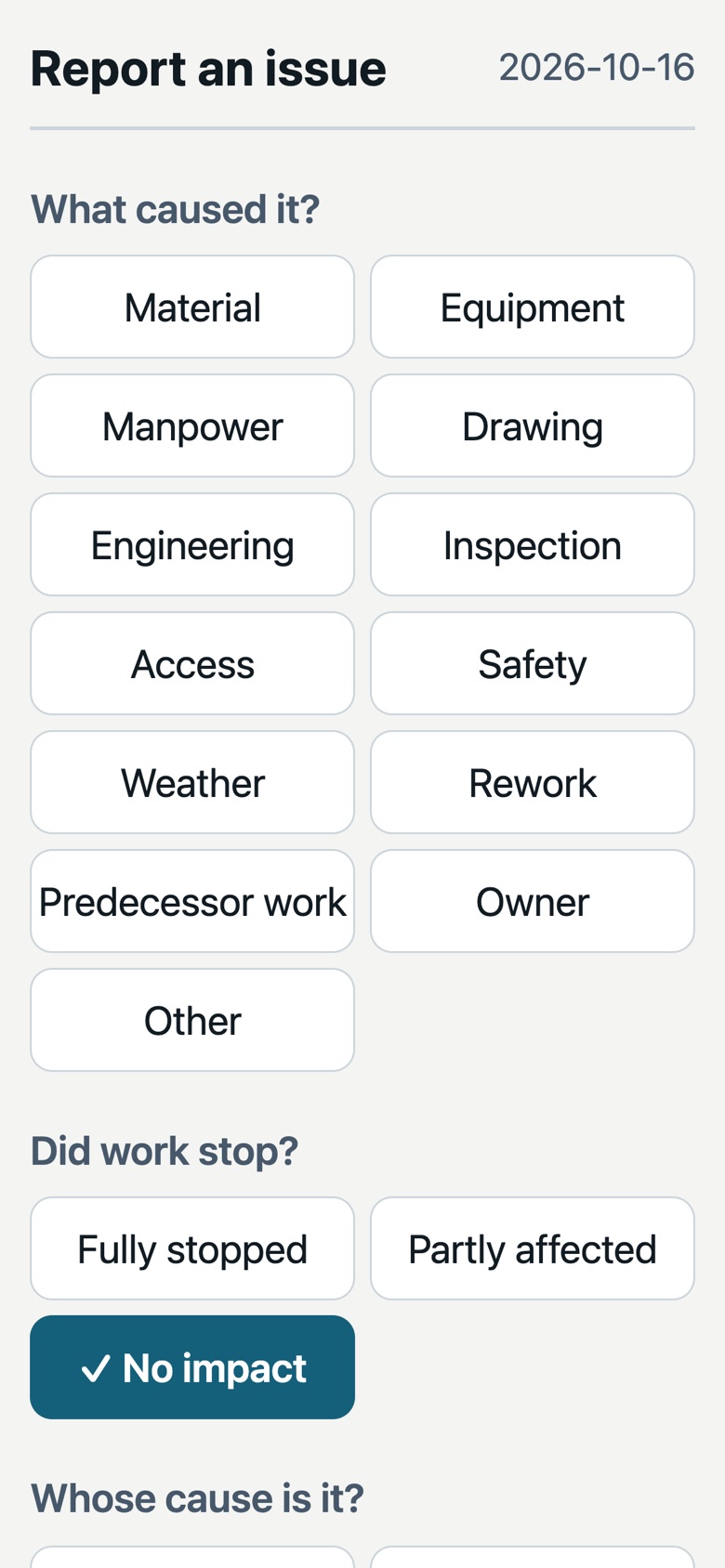
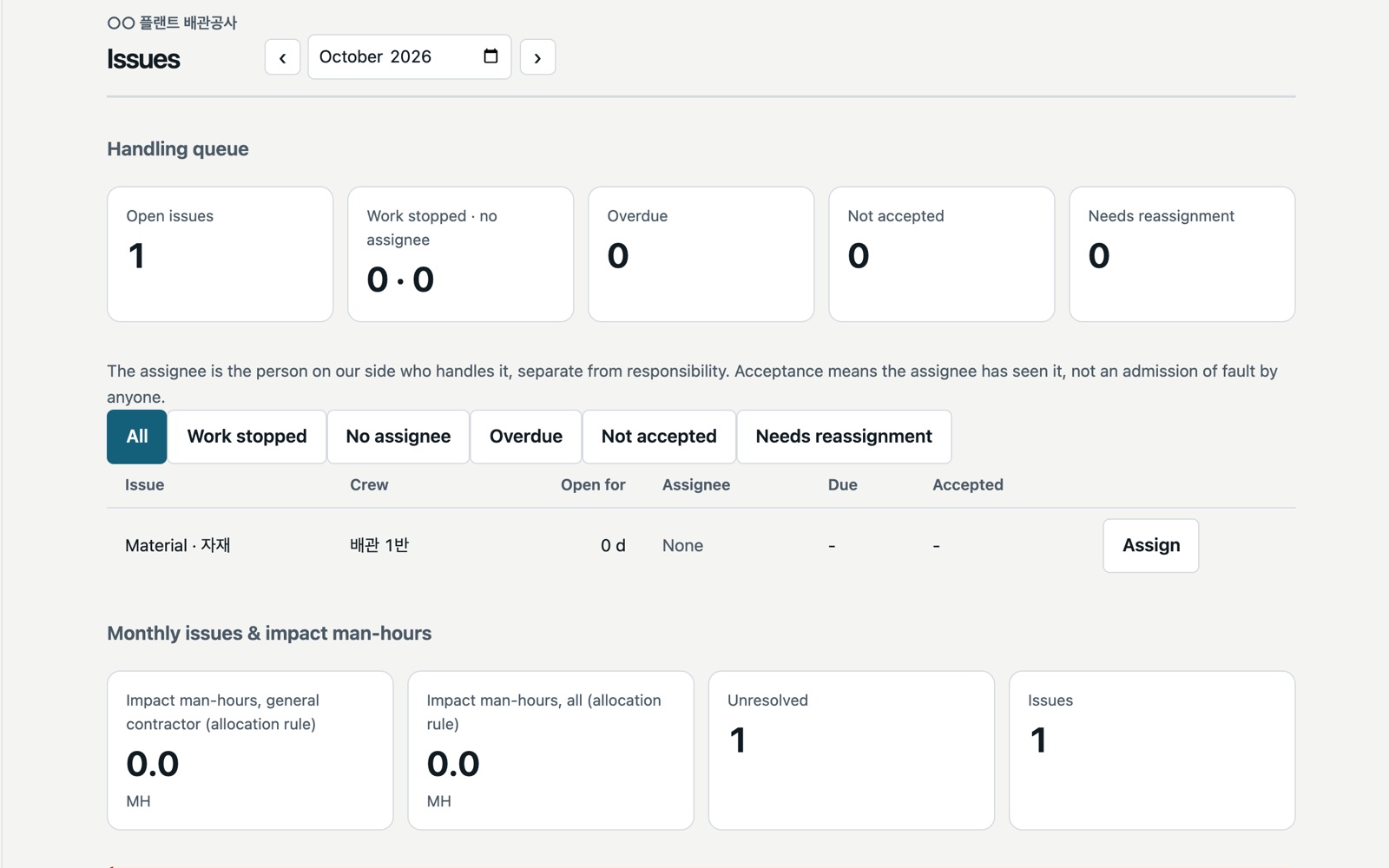
Faster as your records build up
Accurate records come first. On top of them, we're working on the following.
Set weights or budgeted man-hours per work type, and see overall site progress and the work types falling behind at a glance. No averages without a basis.
Turns chat-style reports into draft entries and writes a first draft of the daily report narrative. Numbers are never made by AI — they stay exactly as calculated from the records — and it stays off until you turn it on.
Record the material foremen use separately from progress, so you can see waste rates. Today, material waits and shortages are logged as issues.
Features in development come with no promise of timing or scope. We'll confirm what's available today during your consultation.
Let's be upfront
We check whether it fits before you commit. If it doesn't, we'll tell you.
A good fit
- Sites where work can be reported by location, work type and quantity (m, EA, …)
- Subcontractors whose foremen use phones and whose office sends daily reports to the GC
- Companies with several sites that want one view of all of them
- Teams mixing Korean and English speakers, at home or abroad
Not something we do yet
- Progress reported only as billing amounts — without quantities there's nothing to calculate from
- Labor cost, payroll, individual attendance, cost or progress billing
- Automatic GC system integration, drawing storage, BIM or schedule (P6) integration
- AI creating or changing numbers — numbers come only from the records
Your site records belong to your company
The database and file storage stay in the Seoul region.
So you can keep the GC's third-party restrictions on drawings, drawing files aren't uploaded by default.
They stay off until you turn them on per project, and you declare your own security level.
Download all your records as Excel and original files. No lock-in.
Customer data is not provided for AI model training.
Foremen see only their crew's records; office staff see only their assigned sites. Lost phones can be revoked.
Start with a 4-week paid pilot
We run for four weeks on one of your real submission routes, and measure compilation time and report compliance before and after.
We quote after confirming site size and support scope. Support scope and hours are written into the quote.
- Custom forms, historical data migration and ongoing support are extra
- Card details are handled only by the payment provider; Sitrilo never stores them
- You can export your data at any time, regardless of payment
Common questions
Do foremen have to install an app?
No app store needed. They open an invite link and sign in with the Google or Apple account already on their phone, then add it to the home screen to use it like an app.
Our sites have poor signal. Will it work?
Entries are saved on the phone first and sent when the connection returns. Anything not yet sent is kept and shown as pending, never deleted.
Can it produce our GC's daily report form as-is?
Today it provides a standard internal-use format (PDF and Excel). GC-specific forms are scoped into the quote after we see the real form and submission method.
Does AI learn from our data?
No. Customer data is not provided for AI model training. AI features are in development; when available they stay off until you turn them on, and they never change numbers, approvals or corrections.
Does it track materials?
Today, material waits and shortages are logged as issues, with their impact recorded in man-hours. Material usage and waste rates are in development.
Tell us how you report today
In a 20-minute video call we'll learn how you report now and show you a demo. We quote once we've confirmed it fits.
hello@oruvena.com